
Running a school is one of the most demanding administrative challenges there is. Between managing learner records, capturing marks, tracking finances, and keeping parents and guardians informed, school staff carry an enormous load every single day. At d6, we have always believed that great technology should reduce that load, not add to it.
In our ongoing commitment to providing you with the best tools to streamline your daily operations and enhance your experience, we are taking a significant step forward.
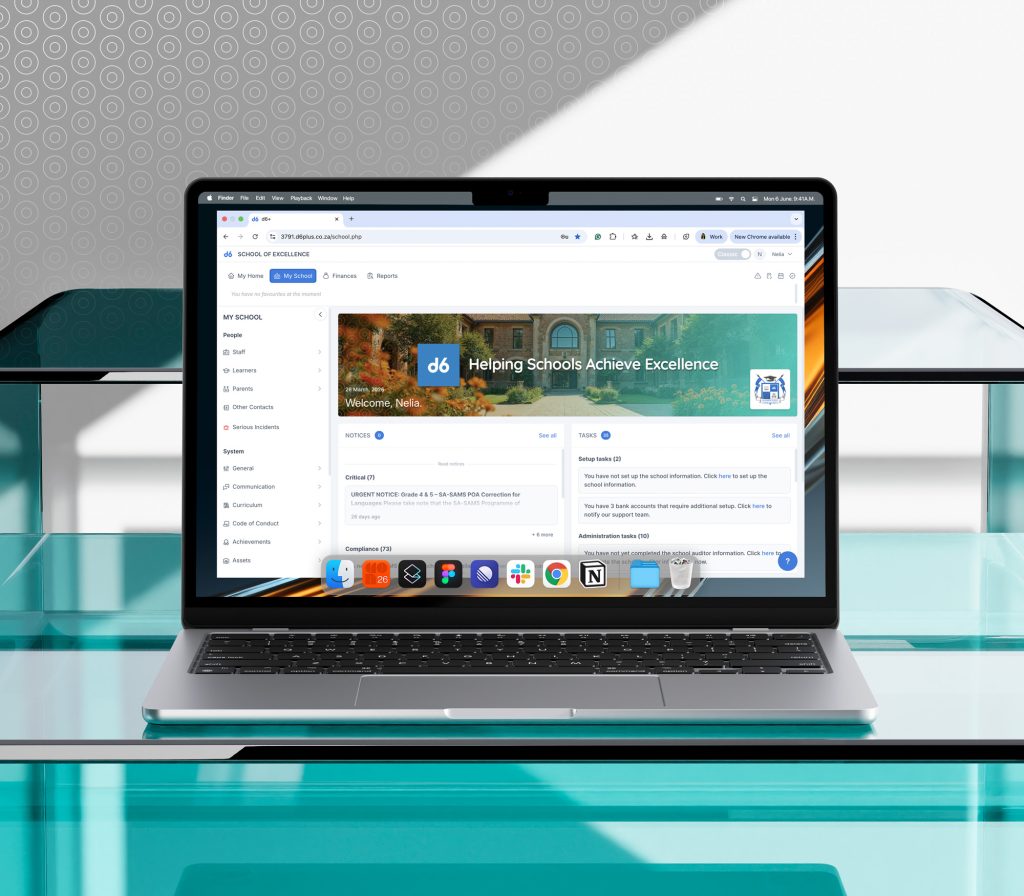
Your School Management Portal
For some time, you have had the option to switch between our classic and modern user interfaces in the School Management Portal. We have valued your feedback and have been working diligently to refine the new look and feel to meet your evolving needs.
We are pleased to share that the modern UI is ready to become your permanent home. Soon, we will be exclusively transitioning all schools to the new interface. This means the option to toggle back to the classic UI will no longer be available. We will confirm the exact date the change goes live at the start of the new term, so consider this your heads-up.
The good news? All your data, records, and settings remain exactly where they belong. The only difference is that they will be much easier to access.
Why we redesigned the School Management Portal
The School Management Portal has been a trusted tool for thousands of schools for many years. But through honest conversations with school staff and careful observation of how people use the system day to day, a consistent theme emerged: the portal worked, but it needed to work better.
Staff were spending too many clicks and too much time navigating to the information they needed. The interface, while functional, did not feel as modern or as intuitive as the people using it deserved. We did not want to patch around the edges. We wanted to get it right.
What is New in the School Management Portal
A modern home screen
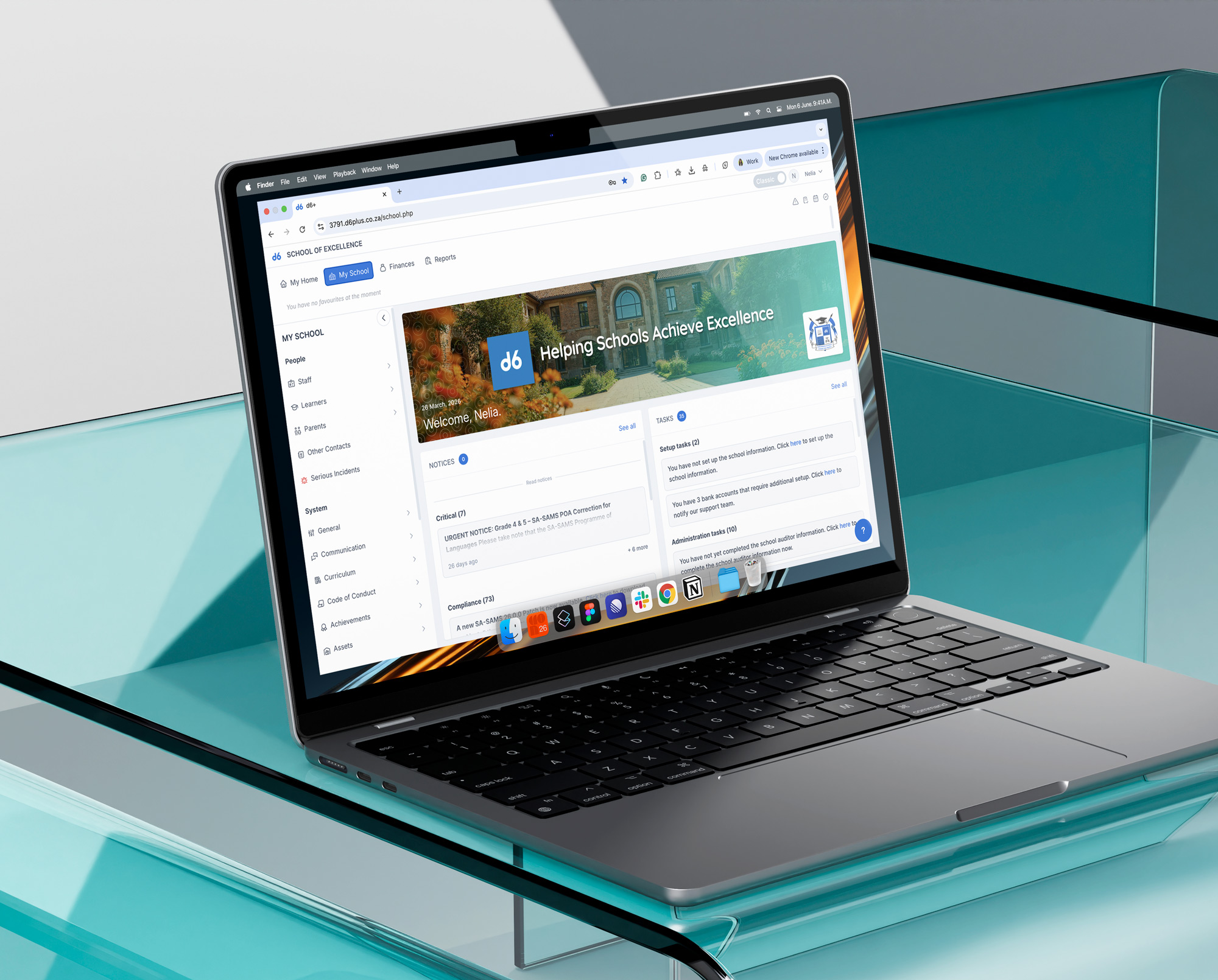
The most immediately visible change is the new landing page. When you log in, you are greeted by a refreshed home screen that puts the most important information right in front of you.
A school banner and logo personalise the experience, while a notices panel, a tasks section, and a “school at a glance” statistics view give you an instant overview of what matters most. No more hunting; your priorities are surfaced for you.
Smarter, faster navigation
The new sidebar navigation replaces the old multi-menu approach with expandable menus and fly-outs, so getting to the right place takes fewer clicks and less time. Whether you are a finance administrator, a curriculum coordinator, or a school principal, the system now works around your workflow.
A personal favourites panel
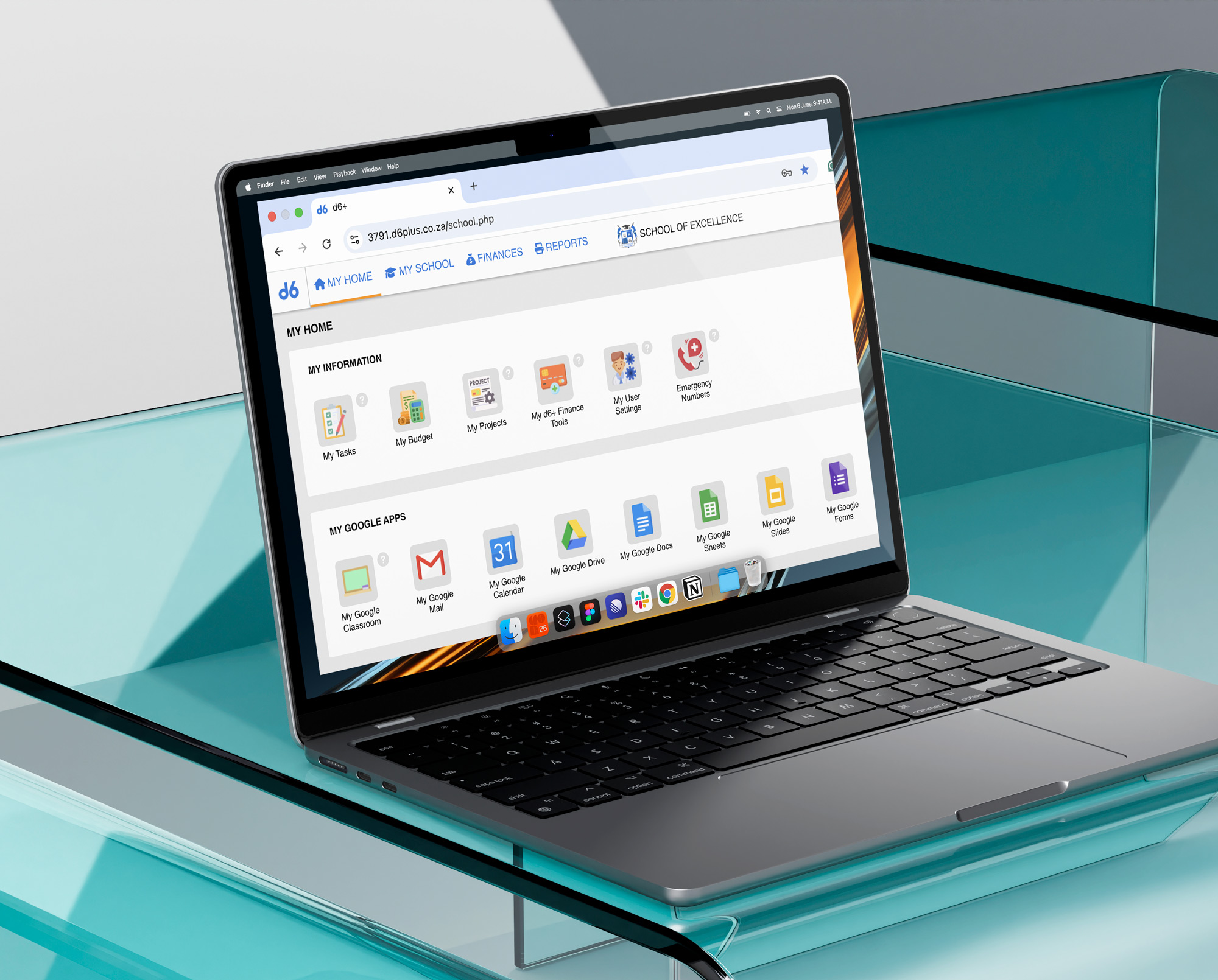
Each user can save their most frequently visited pages as favourites, accessible from a dedicated tab on the home screen. Add them, remove them, and organise them to match how you work. It is a small feature with a meaningful impact for the people who use the system every day.
A redesigned Learners Overview
All of a learner’s information, including their academic records, parent and guardian details, conduct history, notes, and documents, is now consolidated into a clean, tabbed view. Administrators and educators can find what they need about any learner in one place, quickly and confidently.
A smarter marks capturing experience
(coming soon)
One of the most consistent pieces of feedback we have received over the years is about marks capturing. We are rebuilding this experience into a single-page, filter-based interface that allows educators to view and capture all marks for a subject in one place.
The redesign cuts the number of clicks and screens required, includes real-time averages as marks are entered, surfaces visual indicators for missing or incomplete marks, and retains the powerful features educators rely on, like effort ratings and advanced remarks. It is designed to give teachers confidence and save them time at the moments that matter most.
What This Means for You
We encourage you to explore the modern UI now and familiarise yourself with its updated layout and features. The sooner you start, the more comfortable you will feel before the toggle option is removed. We believe you will appreciate the enhanced experience and the efficiency gains it brings.
If you have any questions during the school break, our support resources are always available to help.
The new School Management Portal is not just a cosmetic update. It is a foundation for everything we are building next.
We look forward to seeing your school thrive in the new experience.
Frequently Asked Questions (FAQs)
d6 is transitioning all schools to a redesigned, modern interface for the School Management Portal. The new interface includes a refreshed home screen, smarter sidebar navigation, a personal favourites panel, and a redesigned Learners Overview. The classic interface will be retired, and the option to toggle between the old and new interfaces will be removed. The exact date will be confirmed at the start of the new term.
The exact date will be communicated at the start of Term 2, 2026. All schools currently have access to both the classic and modern interfaces via a toggle. We encourage you to begin using the modern interface now so the transition feels seamless when the toggle is removed.
No. All your data, learner records, settings, and history remain completely intact. The change is entirely to the look and feel of the portal. Nothing is lost, moved, or altered; it will simply be easier to find and access.
No action is required on your part. The transition will happen automatically. However, we recommend exploring the modern interface before the change goes live so your staff are comfortable with the new layout. If you have not yet switched to the modern interface, you can do so now using the toggle in your portal.
The redesign was driven by feedback from school staff across South Africa. The previous interface required too many clicks and too much time to navigate. The new design consolidates key information, reduces the steps needed to complete common tasks, and provides a more modern and intuitive experience for administrators, educators, and school leaders.
The new interface offers faster navigation with fewer clicks, a personalised home screen with school statistics and notices at a glance, a favourites panel for quick access to frequently used pages, and a consolidated Learners Overview where all learner information is accessible in one place. A redesigned marks capturing experience is also coming soon, reducing the number of screens and steps required to record and manage marks.
Yes, a redesigned marks capturing experience is in development as part of the ongoing portal improvements. It will replace the current multi-screen process with a single-page, filter-based interface, making it faster and more intuitive for educators. Real-time averages, visual completeness indicators, and integrated remarks will all be available on one screen. This will be released separately and communicated in advance.
d6’s support resources are available throughout the transition, including updated knowledge base articles and FAQs. You can reach our support team by emailing support@d6plus.co.za
